
What does the TRS Careers Programme look like?
It is important that you leave school aware of yourself as an individual, aware of the opportunities available to you and able to make some decisions about your own life. You should be prepared for the step from full time education to the world beyond and have developed the skills you need to manage your new life.
Although you may not be with TRS for your full education, it is still important that during your time with us you continue to take part in a careers programme as normal. Below are links to individual year roadmaps which show what activities you could be offered depending on when you are with us:
Introducing Unifrog
All Rosewood School pupils will receive a login to Unifrog on joining us. This gives full access to an award winning careers platform that can be used at home as well as in school on a laptop, desk computer or smart phone. It covers:
Exploring pathways and developing skills
- Comprehensive psychometric testing and skills tests
- Explore Quizzes and develop skills
- Broaden horizons with engaging video content
- Search Careers and Subjects libraries
- Connect with leading employers and universities
- Interactive Webinars and Courses
- Develop knowledge and understanding of how to reach goals
Searching for opportunities
- Every post-16 and post-18 option, plus impartial guidance across all options.
- Make informed decisions
- Easily compare options to find the best next step.
- Find scholarship, bursary, and virtual work experience opportunities
For Year 10 all work experience placements are managed on Unifrog making it simple to set up and authorise a placement directly with the employer. More information will be given on this when the work experience invitations are sent out in Year 10.
It is also possible for your parents to set up a Unifrog account alongside yours so that they can help you use the system at home. The school can provide parent login details – please ask Nikki Wilson or email her on n.wilson@trs.kent.sch.uk
What Careers help will I get?
Individual careers guidance is fundamental to TRS and takes place from the minute you join to when you leave. During your initial meeting with the school we will ask you to let us know what your interests are and any thoughts you might have for the future. We will then follow that up with regular discussion in PSHE classes and during one to one personal guidance interviews.
Personal Careers Guidance at The Rosewood School is delivered by our Level 6 qualified Careers Adviser, Bethan Liston. She will meet with you and support you so that you feel confident making informed decisions at key points in your education.
Who receives personal guidance?
Personalised careers guidance is primarily focused at key transition points, particularly Year 11 pupils at the Leybourne and Canterbury schools and Year 11 and Post-16 pupils at the Staplehurst school. However, you may receive careers guidance in a lower year group where:
- You are approaching a transition point (e.g. choosing your GCSE subjects)
- You or your parent/carer ask for guidance
- It is identified that careers guidance would be particularly beneficial for you
What can you expect from a personal guidance meeting?
Personal guidance meetings are impartial, informal, supportive, and pupil-focused. During the meeting, you can expect:
- A discussion and clarification of available options (e.g. post-16 pathways)
- Exploration of your individual interests, strengths, and skills
- Consideration of longer-term plans, including career goals and aspirations such as higher education.
- Information about pathways and entry routes.
- A personalised action plan summarising the discussion and outlining the next steps. This will be put into your Unifrog account and emailed to your parents/carers.
Targeted Support
While all pupils receive personal careers guidance and have opportunities to meet regularly with the Careers Adviser, you may be prioritised for additional support for a variety of reasons:
- You have an Education Health Care Plan (EHCP)
- You are a young carer
- You are supported by external agencies (e.g. DSS, Social Services) or have a history of hospital inpatient admissions
- The school has you registered as a Pupil Premium pupil
- You have low attendance
- You have indicated you are undecided about future plans
Additional Support Offered
Where you are identified for additional support you may receive:
- Priority access to 1:1 personal guidance meetings
- More frequent follow-up discussions
- Earlier and enhanced parental/carer engagement
- Support with planning travel to and from post-16 providers
- Support with post-16 bursary applications (where applicable)
- Closer liaison with the school’s Inclusion Team
- Referrals to The Education People for additional guidance and support
It is important that at all stages you discuss things with your parents/carers so that they can help and support you with your decisions and action plans.
There is a separate page that tells you about the different types of Post 16 Education Options – please click HERE to look at this.
TRS uses the online application system Kent Choices for you to apply to Sixth Form and College. We will give you your logins and help you reset your password if you forget or lose it. If you are with us in Term 6 of Year 10 you will set up your login and profile pages on Kent Choices during your PSHE lessons. In Year 11 Terms 1 & 2 we repeat this for new pupils and also help you work on your personal statements and course choices so you are ready to send off your applications.
We strongly suggest you think about making a first choice and back up application and that you work to a deadline of Christmas of Year 11 to get everything done. That way, you can start the New Year afresh and ready to focus on your exams.
HERE is a link to the TRS guide on how to complete a Kent Choices Application.
If you have any questions about Kent Choices or need help please see Bethan Liston in the Careers Office or contact her at b.liston@trs.kent.sch.uk
How will I learn about Careers in the Curriculum?
The Rosewood School includes Careers within its PSHE lessons and this is when most of the careers activities within school take place. However, all teachers will talk about how their subject links to careers, run events such as ‘Careers in Space’ during a science lesson, organise outside speakers to talk about their careers and focus on the careers potential in the local market.
In Year 11 we have option subjects of English Literature, Triple Science, Psychology and Business and Enterprise from which you can choose one. The subject Business and Enterprise has a heavy entrepreneurial element and naturally incorporates career possibilities.
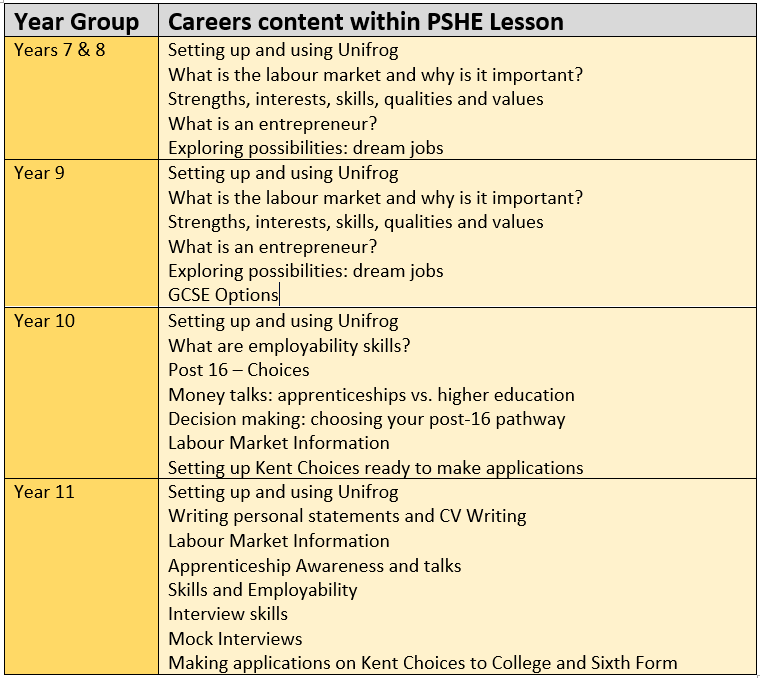
Depending on which year you are in, the PSHE lessons change:
Breakfast Club
During Breakfast time at our schools we have an active programme of breakfast club speakers who talk about anything and everything to do with careers. We follow the national 'weeks' so there will be speakers supporting National Careers Week, National Apprenticeship Week, British Science week, World Book Day, World Space Week and Mental Health Awareness Week. As a flavour we have had the following speakers in during 2025/6:
Ex Kent Police Officer, now running own business - Life in the police and it's OK to change your career; it doesn't have to be for life.
Forensic Science – Canterbury ChristChurch University: What is it and how to get a career in Forensic Science
Women in construction – Apex Contractors Ltd: National construction company overseeing Lower Thames Crossing
Asda Community Champion – Asda Foundation, local community support and career pathways
NHS Mental Health Nurse - Awareness of mental health careers within the NHS
Veterinary Nurse - Taking care of pets and the role of veterinary nursing
Agricultural Engineer - Why work on cars when you can work on tractors!
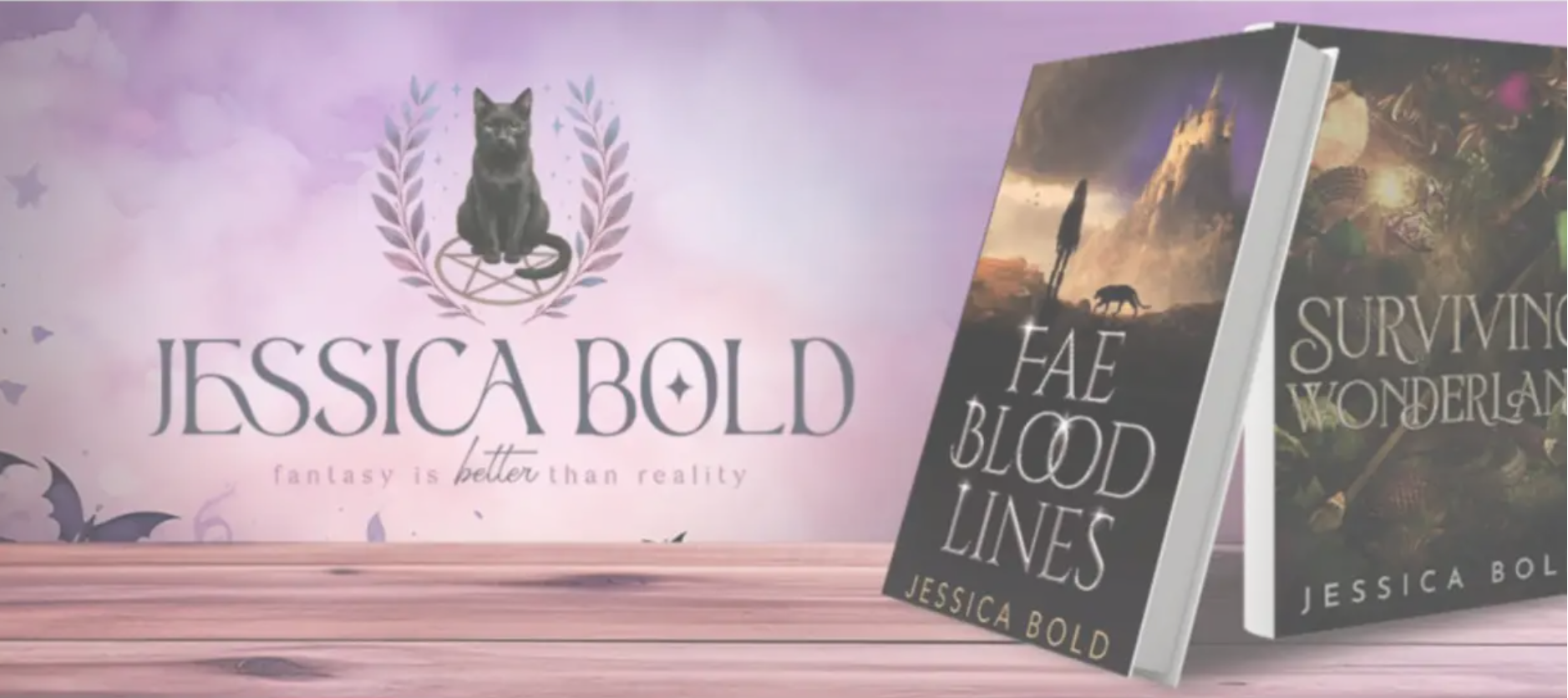
Author Jessica Bold - Bringing my stories to life and the challenges of being an author